

OData API
Grunddata exposes a read-only OData feed at /odata, designed for Excel, Power Query and
Power BI.
The contract is driven entirely by views. A view defines the entity set name and the exact fields exposed.
Endpoints
Section titled “Endpoints”| Endpoint | Purpose |
|---|---|
GET /odata/ |
The OData service document. This is the URL you paste into Excel or Power BI. |
GET /odata/$metadata |
The EDM metadata document generated from your views |
GET /odata/{EntitySet} |
Read the active records of one view |
GET /odata/{EntitySet}({SourceId}) |
Read a single active record by its SourceId |
Connecting from Excel
Section titled “Connecting from Excel”-
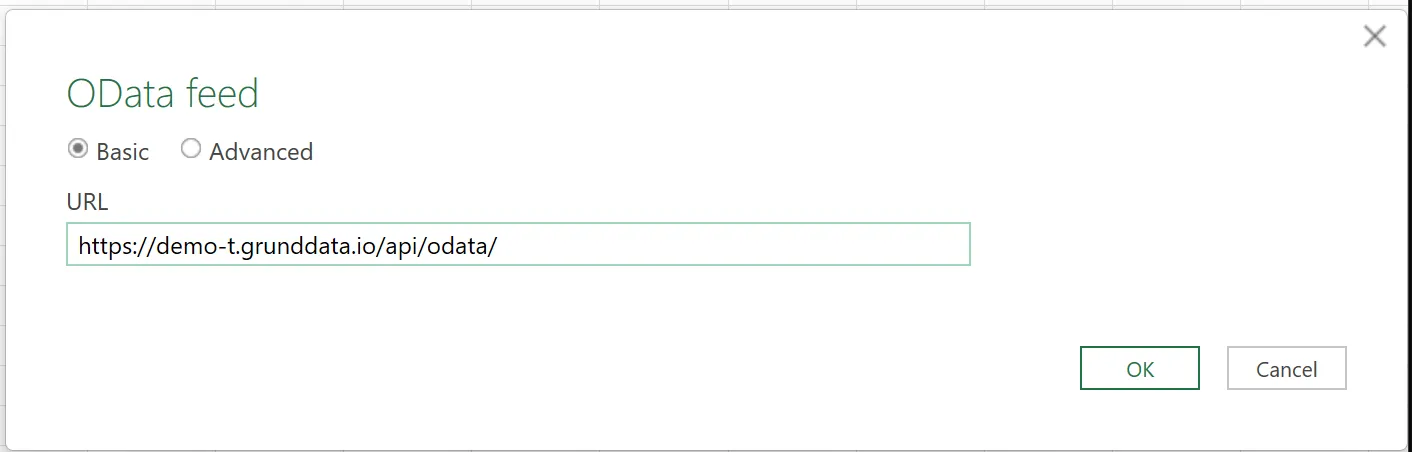
In Excel, select Data → Get Data → From Other Sources → From OData Feed.
In Power BI Desktop, select Get Data → OData feed.
-
Enter your customer API’s OData service root. The exact host is provided for your environment; the path is usually:
https://<your-customer-api-host>/api/odata/Some deployments expose the API at the host root instead:
https://<your-customer-api-host>/odata/Use the URL supplied by your Grunddata administrator. It must end at
/odata/, not at a specific view. -
When Excel asks how to connect, select Organizational account, then click Sign in.
Grunddata uses Microsoft Entra ID. Sign in with the organisation account that has access to the customer environment.
-
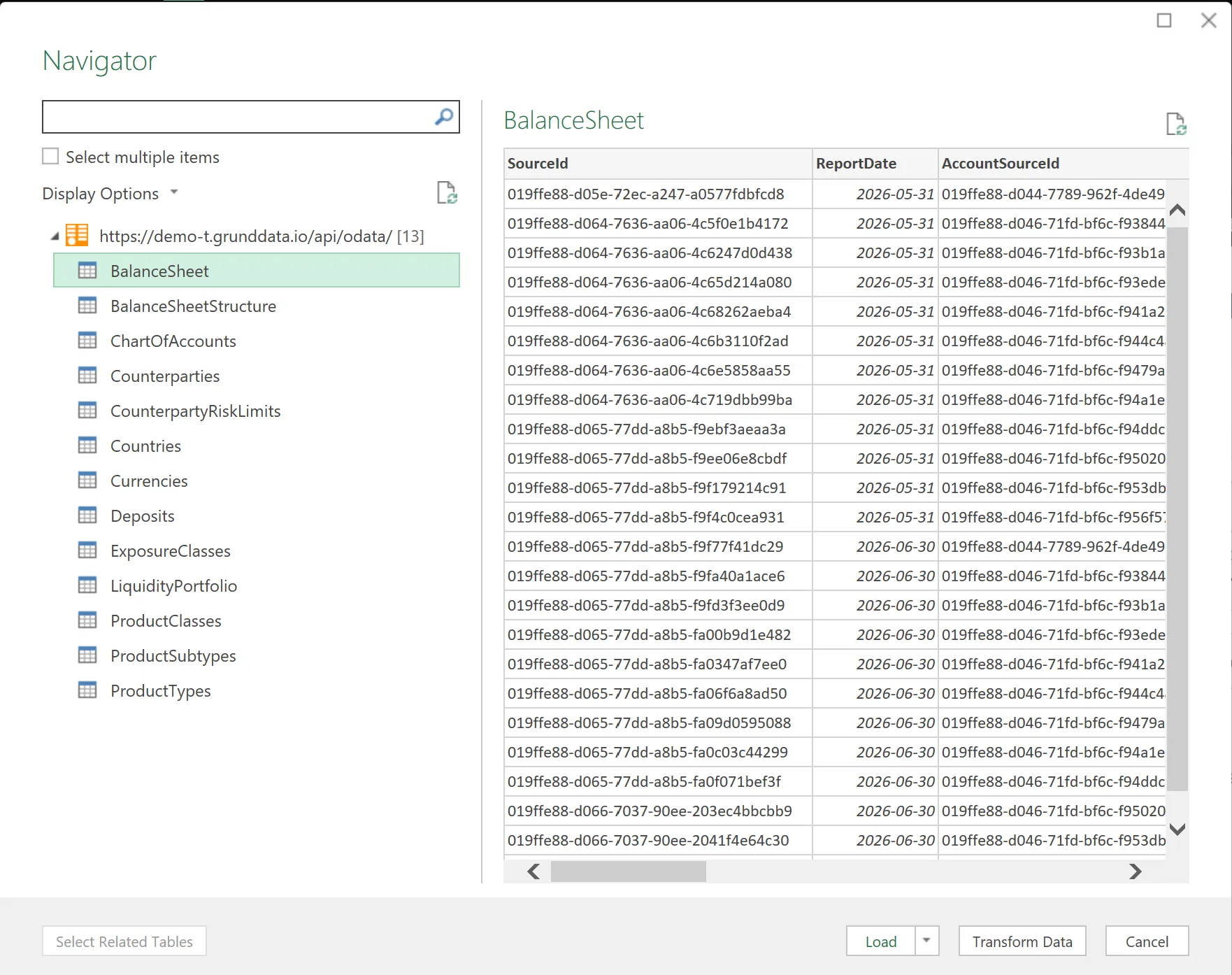
Excel opens the Navigator. Select one or more views, preview the fields, and click Load.
The views listed here are the OData contracts configured in Grunddata. A table does not appear just because it exists; it must have a view.
Query options
Section titled “Query options”| Option | Support |
|---|---|
$select |
Choose which fields to return |
$top |
Limit the number of rows. Capped server-side. |
$skip |
Skip rows |
$count |
Return the total count |
$filter |
eq, ne, gt, ge, lt, le; startswith(Field,'x'), contains(Field,'x'); predicates joined with and |
$orderby |
Single and multi-field, with asc / desc |
Filtering, ordering and paging are pushed down to the database, so they are fast on large
tables. Server-driven paging applies when $top is omitted.
Examples
Section titled “Examples”GET /odata/AccountsView?$select=Code,Name,CurrencyCodeGET /odata/AccountsView?$filter=CurrencyCode eq 'SEK'GET /odata/AccountsView?$filter=contains(CounterpartyName,'Nordea') and Version gt 1GET /odata/AccountsView?$orderby=CounterpartyName asc,Limit descGET /odata/AccountsView?$count=true&$top=100Fields you can query
Section titled “Fields you can query”Views can expose system fields:
| Field | Notes |
|---|---|
SourceId |
The entity key. Present in every view. |
Code |
The record’s business key |
Name |
The record’s readable label |
Version |
The revision number |
CreatedAt |
When this version was created |
Plus your attributes. Domain attributes appear as up to three scalar fields:
| Field | Contains |
|---|---|
{Attribute}SourceId |
The referenced record’s source_id |
{Attribute}Code |
The referenced record’s Code |
{Attribute}Name |
The referenced record’s Name |
All three are usable in $filter and $orderby:
GET /odata/LimitsView?$filter=CounterpartyCode eq 'NORDEASE'GET /odata/LimitsView?$orderby=CounterpartyName ascDeleted records
Section titled “Deleted records”Soft-deleted records are excluded from the feed. You always see the current, active state. See Commits and versions.
Not supported
Section titled “Not supported”The feed is deliberately narrow:
- Write operations. OData is read-only. Use the plugins or the API to change data.
- Nested or multi-hop
$expand. $apply.
Keeping reports stable
Section titled “Keeping reports stable”Troubleshooting
Section titled “Troubleshooting”| Symptom | Likely cause |
|---|---|
| No tables offered in the navigator | No views exist, or you lack access to them |
| Authentication fails in Excel or Power BI | Confirm you are signing in with your organisation account; check with your administrator that the client is permitted |
| A field is missing | It is not ticked in the view. Edit the view and add it. |
| A query returns fewer rows than expected | Server-driven paging is active — let the connector follow the next-page links, or set $top |